Protect the work you cannot afford to lose
Select client records, projects, documents, accounting exports, and the other readable Windows folders your day depends on.
Backups you can see. Recovery you can trust.
Your business lives in its files. Sentinel Vault keeps the folders that matter copied, organized, and ready to recover, without making backup another full-time job.
Protection without the uncertainty
Choose what matters, choose where it goes, and let Sentinel Vault keep you informed. No complicated console and no guessing whether the backup finished.
Select client records, projects, documents, accounting exports, and the other readable Windows folders your day depends on.
Open the working copy for a quick restore or return to a dated ZIP when you need an earlier version.
Follow each backup with clear progress, file counts, transfer speed, time estimates, warnings, and recent activity.
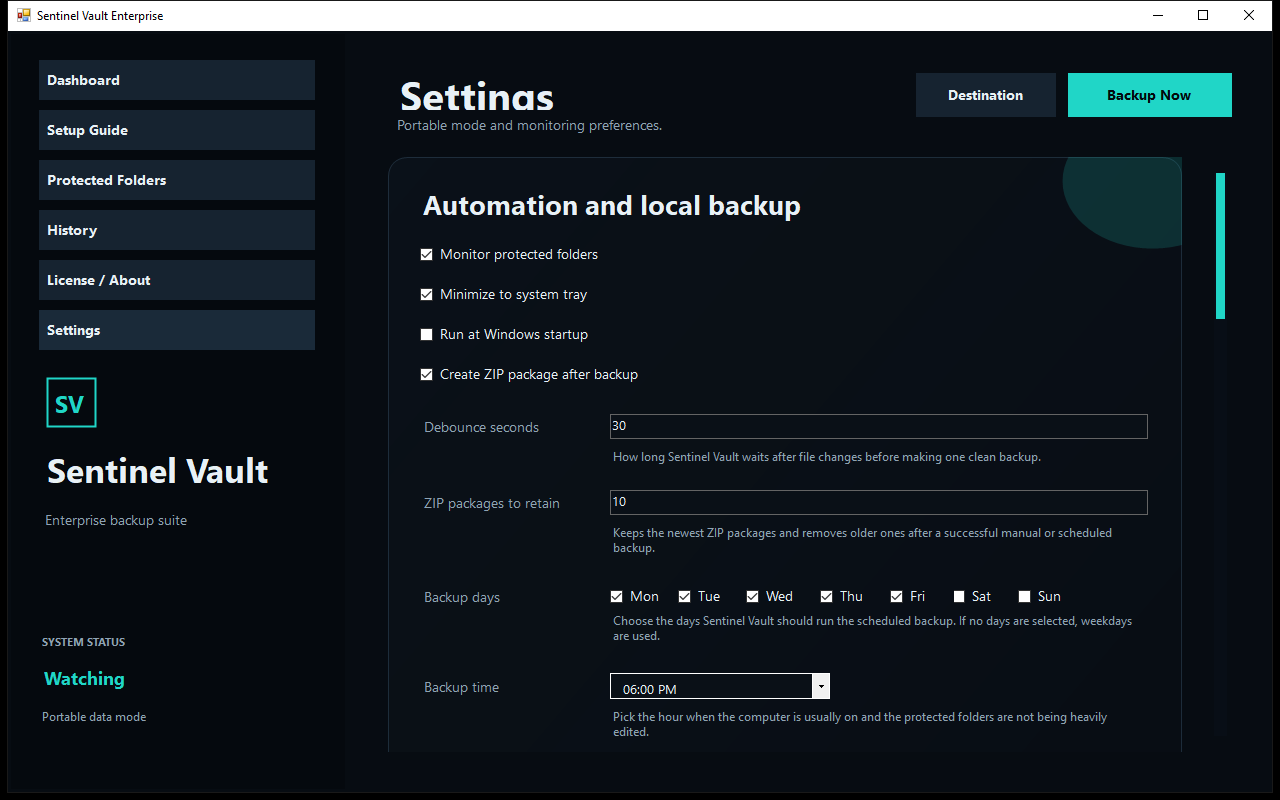
Choose days and times or use interval backups, then let Sentinel Vault stay quietly available in the system tray.
Deliver completed ZIP packages through FTPS or FTP and send email results after testing your connection settings.
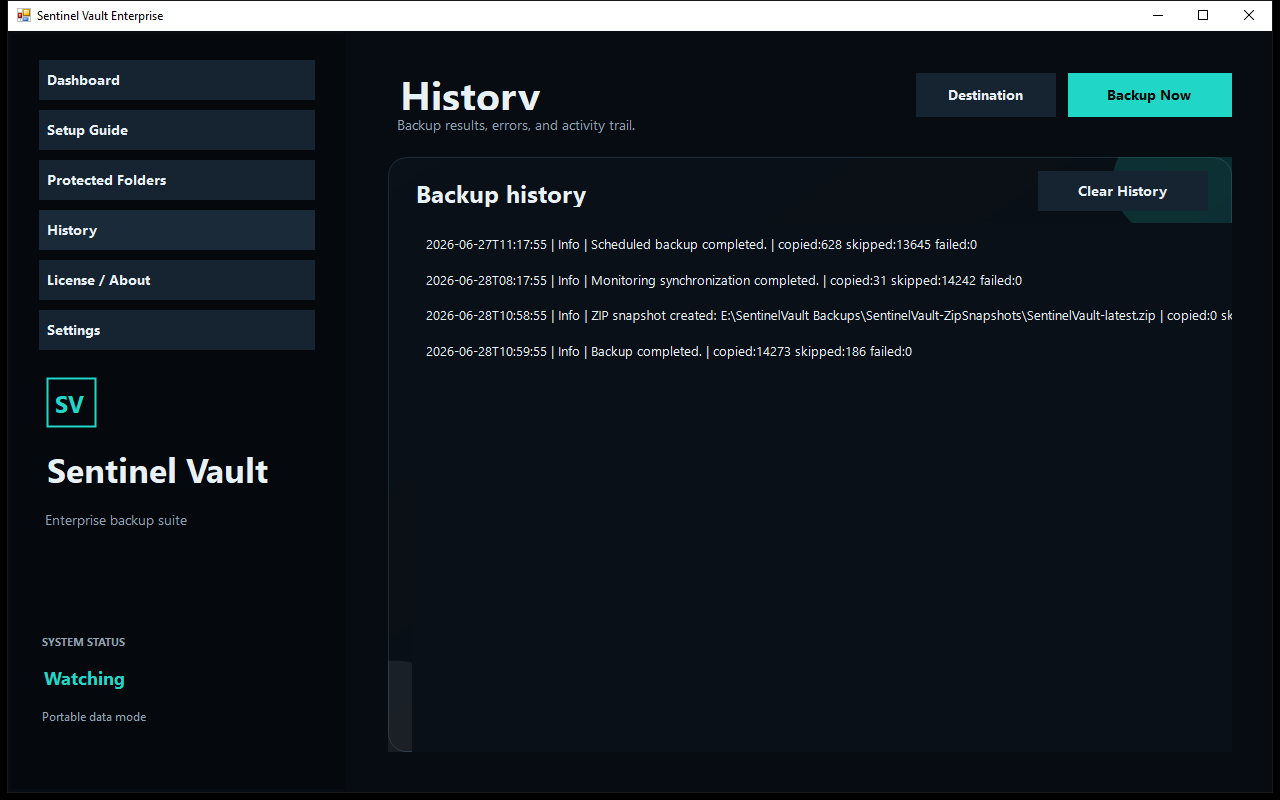
See what copied, what was skipped, what was locked, and whether ZIP, upload, and email steps completed.
New in version 1.2.2
This maintenance release keeps the polished 1.2.1 interface and ensures every fresh download contains the optional sound used at launch.
The verified startup.wav file is now bundled beside SentinelVault.exe in every clean customer download.
Enable Play startup sound in Settings to hear it once at launch, or leave the option off for silent operation.
The release builder now treats the audio file as required and stops future packages if it is missing.
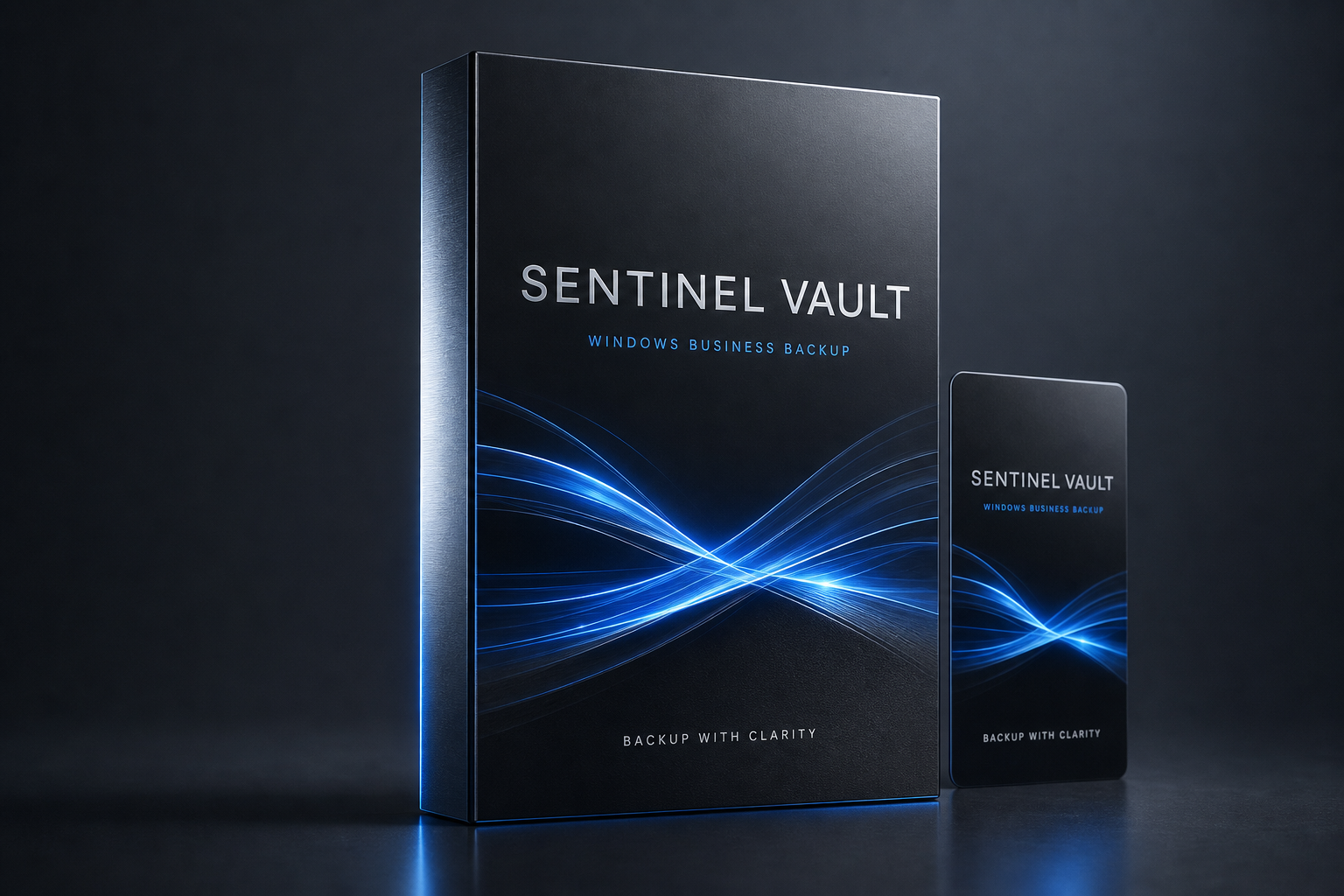
Why purchase Sentinel Vault?
Sentinel Vault turns an easy-to-forget chore into a routine you can see, verify, and trust. It is built for owners and teams who want control of their files without becoming backup specialists.
See before you install
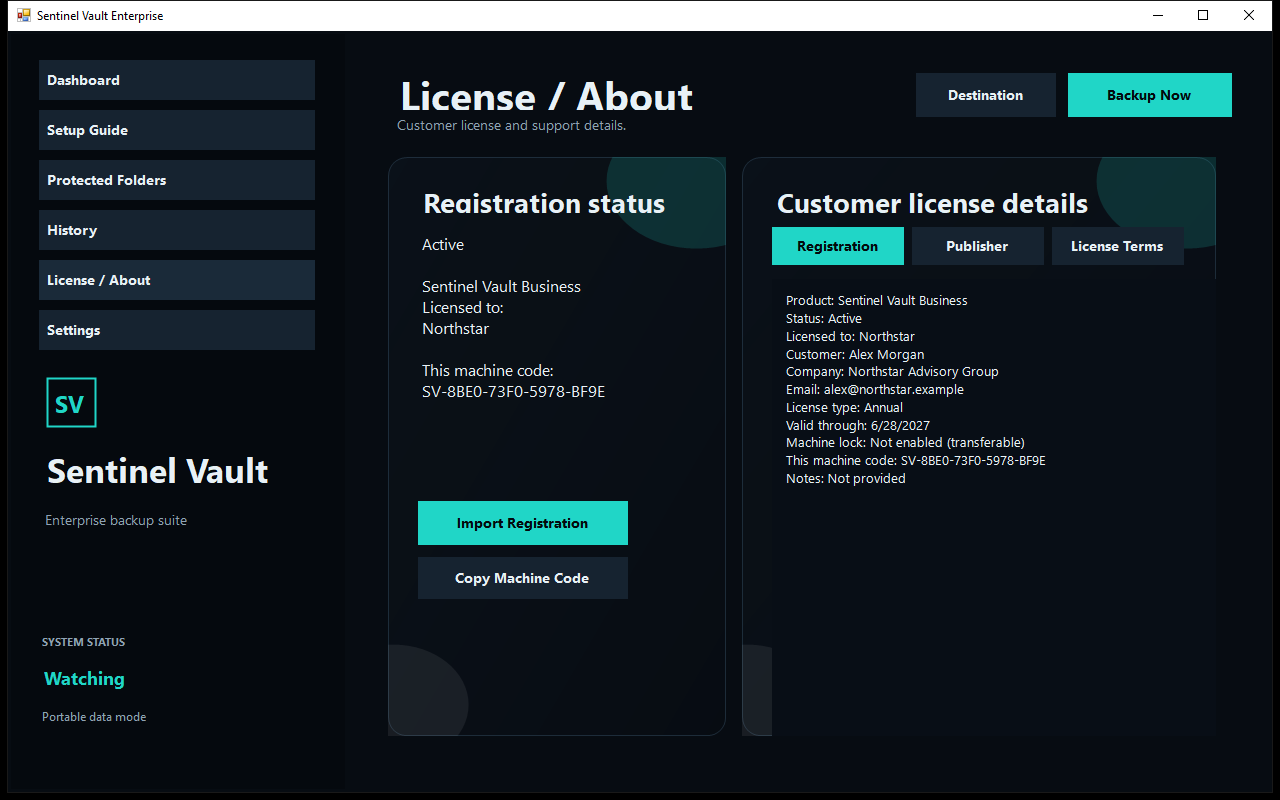
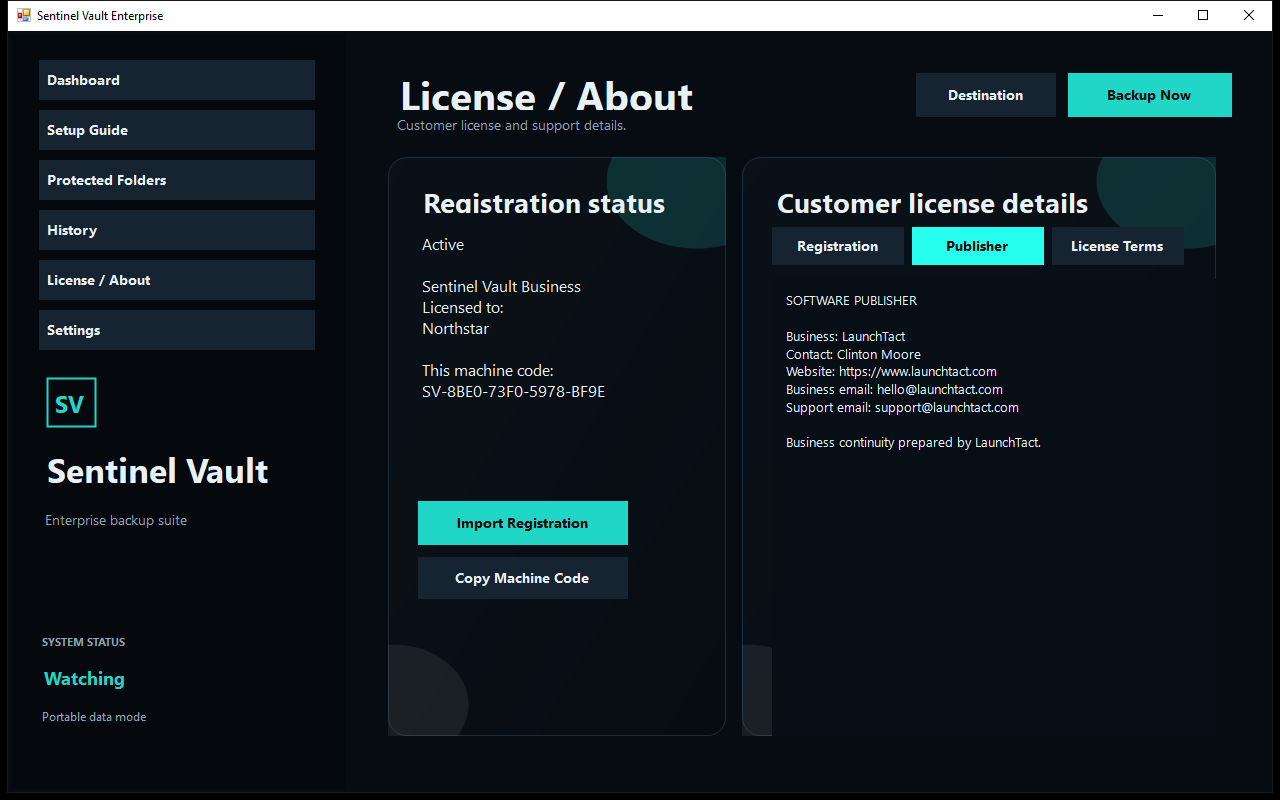
Explore every part of Sentinel Vault before you download. These are real screens from version 1.2.2 using fictional Northstar demo data.
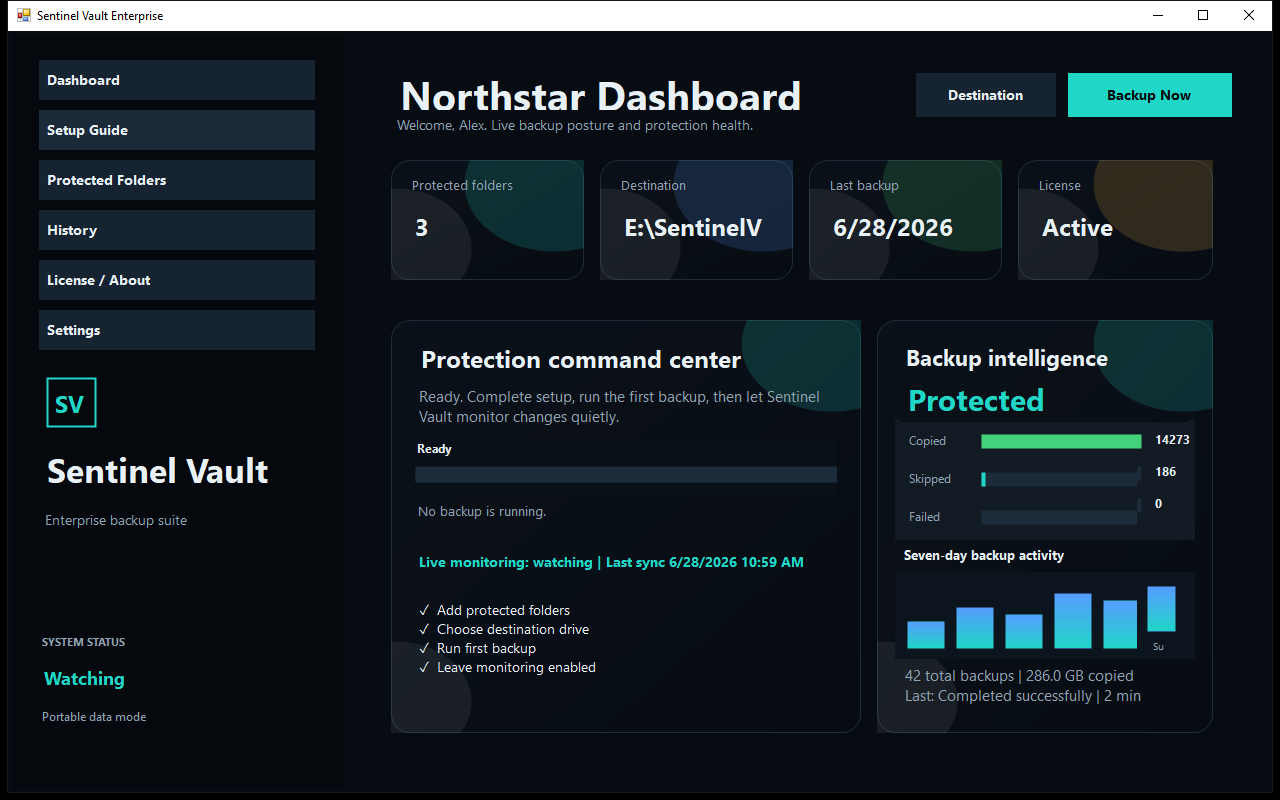
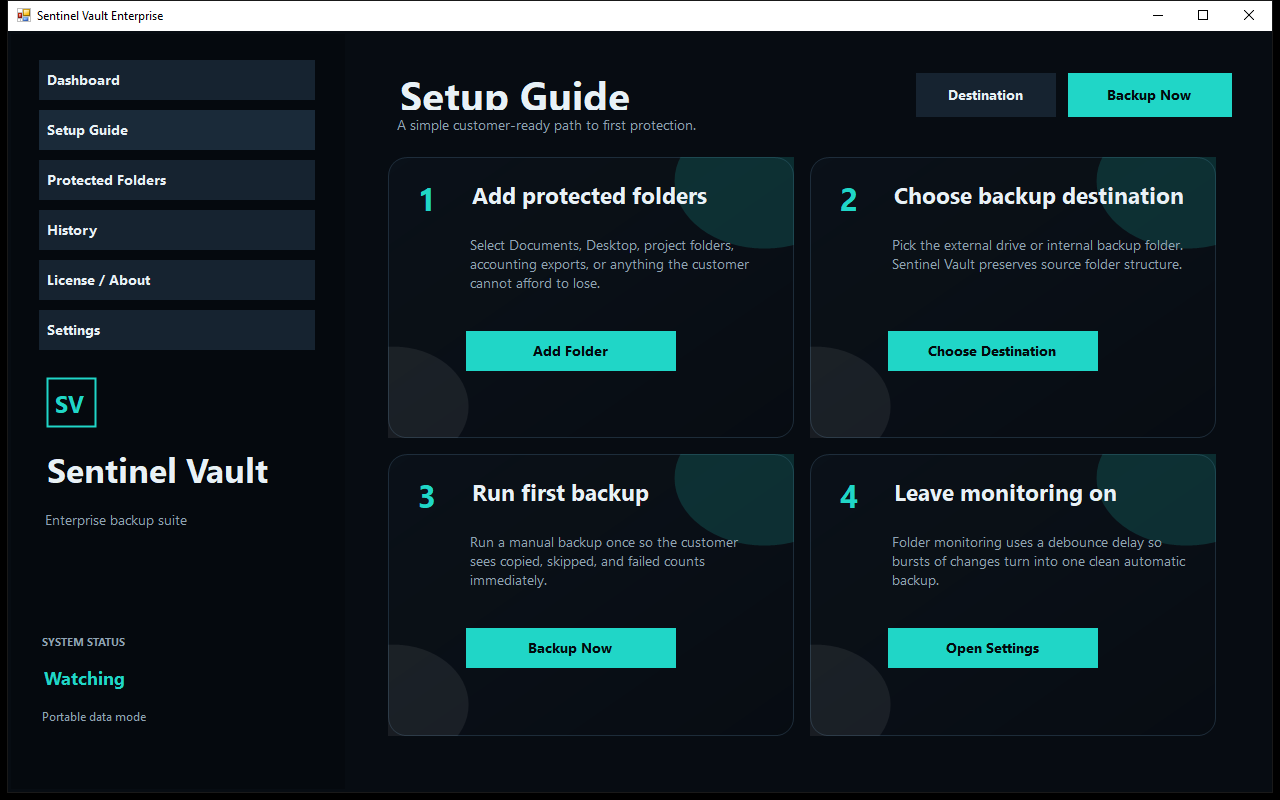
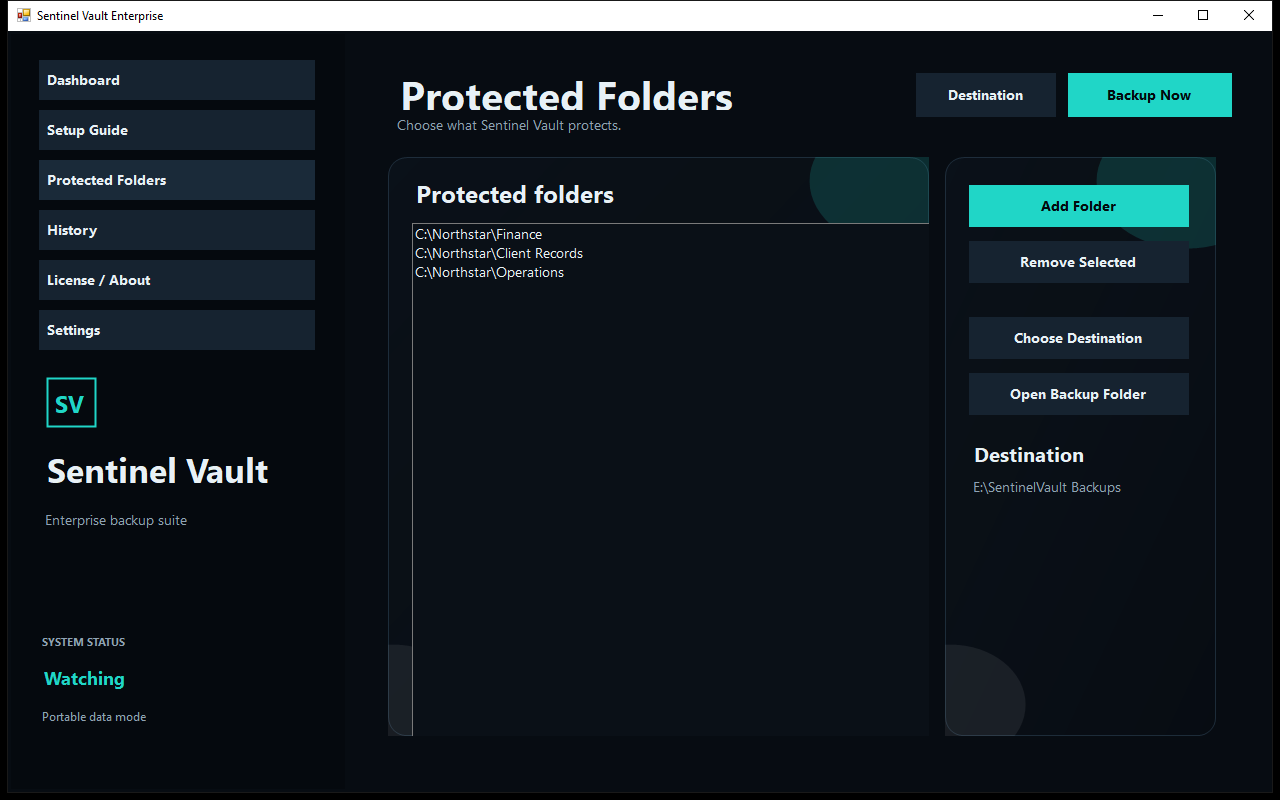
From setup to peace of mind
Point Sentinel Vault to the business folders you want to protect.
Pick an external drive, another internal drive, or a dedicated destination folder.
Run your first backup, review the results, and open the recovery copy for yourself.
Choose your schedule, monitoring, retention, tray behavior, and optional delivery.
Restore from the open working copy or a retained ZIP whenever the need arises.
Confidence comes from clear answers
When a file is locked or unavailable, Sentinel Vault keeps working through readable files and tells you exactly what needs attention.
Simple, honest licensing
Every paid license unlocks the complete customer application. There are no feature tiers and no required cloud-storage subscription.
Annual Protection
A flexible starting point for one Windows computer.
Lifetime License
Own Sentinel Vault for one Windows computer with no renewal date.
Business 5-PC Pack
Lifetime protection for a small office or a five-customer deployment.
Provider Bundle
Equip your IT business to distribute backup solutions to your clients.
Click a plan above to auto-fill your request, or reach out with any questions. We monitor this inbox closely.
Prices are in U.S. dollars and apply per licensed Windows computer. Storage hardware, internet service, remote hosting, taxes, and third-party services are not included.
See how it fits your business
Try the complete customer application on your own Windows computer, or use this same package to update an existing registered Sentinel Vault installation.
Know before you download
The best backup is one you understand and have tested. Here is what Sentinel Vault does, what it does not do, and what to expect.
Your files keep the business moving
1. General Acknowledgment
This End User License Agreement ("Agreement") is a legal contract between you (either an individual or a business entity) and LaunchTact regarding the use of the Sentinel Vault software ("Software"). By downloading, installing, or using the Software, you agree to be bound by the terms of this Agreement. If you do not agree, do not install or use the Software.
LaunchTact grants you a non-exclusive, non-transferable license to use the Software strictly in accordance with the license tier purchased (e.g., Single PC, 5-PC Pack, Provider Bundle). The Software is licensed, not sold. You may not reverse engineer, decompile, or disassemble the Software, nor may you distribute or resell the Software unless explicitly authorized under the "Provider Bundle" licensing terms.
Sentinel Vault is provided as a utility to assist in copying and archiving data. LaunchTact does not guarantee that the Software will prevent data loss, corruption, or hardware failure. It is the user's responsibility to verify the integrity, accessibility, and successful completion of all backups. LaunchTact is not responsible for any lost, missing, or corrupted data, files, or business assets.
THE SOFTWARE IS PROVIDED "AS-IS" AND WITH ALL FAULTS. LAUNCHTACT MAKES NO WARRANTIES, EXPRESS OR IMPLIED, INCLUDING BUT NOT LIMITED TO THE IMPLIED WARRANTIES OF MERCHANTABILITY, FITNESS FOR A PARTICULAR PURPOSE, OR NON-INFRINGEMENT. LAUNCHTACT DOES NOT WARRANT THAT THE OPERATION OF THE SOFTWARE WILL BE UNINTERRUPTED OR ERROR-FREE.
TO THE MAXIMUM EXTENT PERMITTED BY APPLICABLE LAW, IN NO EVENT SHALL LAUNCHTACT OR ITS SUPPLIERS BE LIABLE FOR ANY SPECIAL, INCIDENTAL, INDIRECT, OR CONSEQUENTIAL DAMAGES WHATSOEVER (INCLUDING, WITHOUT LIMITATION, DAMAGES FOR LOSS OF BUSINESS PROFITS, BUSINESS INTERRUPTION, LOSS OF BUSINESS INFORMATION, OR ANY OTHER PECUNIARY LOSS) ARISING OUT OF THE USE OF OR INABILITY TO USE THE SOFTWARE, EVEN IF LAUNCHTACT HAS BEEN ADVISED OF THE POSSIBILITY OF SUCH DAMAGES.
This Agreement is effective until terminated. Your rights under this Agreement will terminate automatically without notice from LaunchTact if you fail to comply with any term(s) of this Agreement. Upon termination, you must cease all use of the Software and destroy all copies.